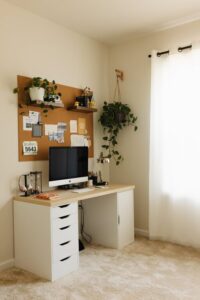
Tips for Creating a Comfortable and Productive Home Office Space
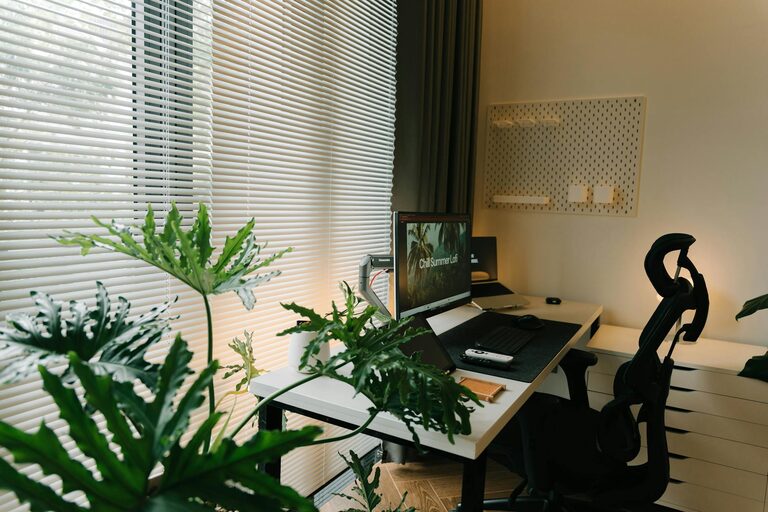
Creating a comfortable and productive home office space is essential for anyone working remotely or managing tasks from home. A well-designed workspace can improve focus, reduce stress, and enhance overall work quality. Whether you have a dedicated room or a small corner, this guide offers practical tips to help you build an environment that supports your goals.
Choose the Right Location
Find a Quiet Spot
Selecting a quiet area away from household noise is key to maintaining concentration. Look for a space with minimal foot traffic and distractions, such as a spare room or a corner of your bedroom.
Consider Natural Light
If possible, position your desk near a window. Natural light not only brightens your space but can improve mood and energy levels throughout the workday.
Invest in Ergonomic Furniture
Comfortable Chair
A supportive chair that encourages proper posture helps prevent back and neck pain. Look for adjustable features to customize height and back support.
Suitable Desk
Choose a desk that fits your needs, whether it’s a traditional table, a standing desk, or a compact workstation. Make sure it has enough surface area for your computer, documents, and other essentials.
Organize Efficiently
Declutter Your Space
Keep only necessary items on your desk to avoid visual distractions. Use drawers, shelves, or storage boxes to store supplies neatly.
Use Cable Management
Organize cords with clips, sleeves, or cable boxes to reduce clutter and prevent tripping hazards.
Personalize Your Workspace
Add Plants
Including a few small plants can bring life and calmness to your office. They also improve air quality.
Choose Soothing Colors
Colors affect your mood and productivity. Soft blues, greens, or neutrals can create a calming atmosphere, while pops of brighter colors add energy.
Improve Lighting
Combine Natural and Artificial Light
Use a desk lamp to supplement natural light, especially on cloudy days or in the evening. Adjustable lighting allows you to reduce eye strain.
Reduce Glare
Position your screen to minimize glare from windows or lights. Consider an anti-glare screen protector if needed.
Minimize Distractions
Set Boundaries
Let household members know your work hours and agree on quiet times to avoid interruptions.
Use Headphones
Noise-cancelling headphones can help you stay focused when working in shared spaces or noisy environments.
Optimize Technology Setup
Reliable Internet Connection
A strong and stable internet connection is essential for video calls and cloud-based work.
Quality Equipment
Invest in a good monitor, keyboard, and mouse for comfort and efficiency. Test your webcam and microphone regularly to avoid technical issues during meetings.
Maintain Healthy Habits
Take Breaks
Schedule short breaks to stretch and rest your eyes. This reduces fatigue and keeps you alert.
Stay Hydrated and Snack Smart
Keep water within reach and choose healthy snacks to maintain energy levels throughout your workday.
Establish Routine and Ambiance
Set a Schedule
Create a clear start and end time for your workday to establish work-life balance.
Create a Morning Ritual
Begin your day with a routine like brewing coffee or reviewing your task list to mentally prepare for work.
—
By following these tips, you can create a home office that not only enhances your productivity but also supports your well-being. Tailor your workspace to your preferences and be open to adjusting as you discover what works best for you. A comfortable and organized environment truly makes working from home a more enjoyable experience.