Tips for Creating a Relaxing Home Workspace to Boost Productivity and Comfort
Creating a relaxing home workspace is essential for maintaining productivity and comfort, especially for those who spend significant time working remotely. A well-designed workspace can reduce stress, improve focus, and help you separate work life from personal life. This article offers actionable tips to shape a calming environment that supports your daily tasks while keeping you comfortable and motivated.
Why a Relaxing Workspace Matters
Your workspace directly influences your mood and efficiency. When your environment feels chaotic or uncomfortable, it can be hard to concentrate, leading to lower productivity and even burnout. On the other hand, a relaxing and organized space promotes calmness, reduces distractions, and encourages steady workflow.
Benefits of a Relaxing Home Workspace
– Improved concentration
– Enhanced creativity
– Reduced stress levels
– Better work-life balance
– Higher motivation throughout the day
Choosing the Right Location
The first step is selecting a space in your home that can serve as your dedicated work area.
Considerations for Location
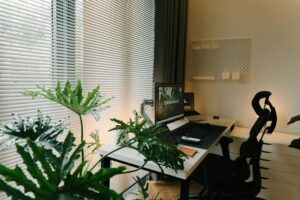
– Natural light: Pick a spot with plenty of natural light to boost mood and energy.
– Quietness: A quiet area reduces disruptions and helps you focus.
– Privacy: Choose a space where household activity won’t interfere with your work.
– Space: Make sure there’s enough room for your desk, chair, and necessary equipment.
Designing for Comfort and Functionality
Your workspace should be both comfortable and practical. Here’s how to achieve that balance.
Ergonomic Furniture
Invest in ergonomic furniture to support your posture and avoid discomfort.
– Desk: Opt for a desk with ample surface space. Adjustable-height desks are ideal for switching between sitting and standing.
– Chair: Choose a chair with lumbar support, adjustable height, and comfortable cushioning.
– Accessories: Consider wrist rests, footrests, or keyboard trays to improve ergonomics.
Lighting Solutions
Proper lighting is key to reducing eye strain and keeping you alert.
– Natural light: Whenever possible, position your desk near a window.
– Task lighting: Use desk lamps with adjustable brightness to illuminate your work area without creating glare.
– Ambient lighting: Soft, warm lighting helps create a relaxing atmosphere.
Organizing Your Workspace
Clutter can be distracting and stressful. Keeping your workspace tidy contributes to a more relaxing environment.
Tips for Organization
– Declutter regularly: Remove unnecessary items from your desk daily.
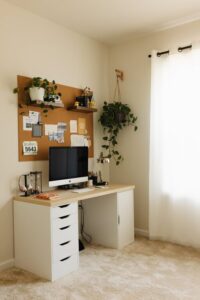
– Storage solutions: Use shelves, drawers, or organizers to keep supplies out of sight.
– Cable management: Use clips, ties, or boxes to tame cables and cords.
– Personalize minimally: Adding a few meaningful items like a plant or photo can make the space inviting without overcrowding it.
Adding Calming Elements
Incorporate features that help reduce stress and promote a peaceful atmosphere.
Nature and Greenery
– Plants improve air quality and add a touch of nature, which can be calming and refreshing.
– Choose low-maintenance plants like succulents or pothos if you don’t have a green thumb.
Color Choices
– Soft and neutral tones like blues, greens, and earth colors tend to be relaxing.
– Avoid overly bright or intense colors that might be stimulating or overwhelming.
Sounds and Scents
– Use white noise machines or soft background music to block distractions.
– Consider using subtle essential oils or candles with calming scents like lavender or chamomile, but only if they suit your preference and work environment.
Creating Boundaries and Routine
Your workspace should help you mentally separate work time from personal time.
Establish Boundaries
– Define your workspace clearly, even if it’s a corner in a shared room.
– Avoid using the workspace for non-work activities, which helps reinforce its purpose.
Develop a Routine
– Start and end your workday with rituals like stretching or organizing your desk.
– Take regular breaks away from the computer to recharge.
Technology and Tools
Use technology wisely to enhance productivity without causing strain.
– Invest in a good quality monitor positioned at eye level.
– Use noise-cancelling headphones if background noise is an issue.
– Keep software and tools organized to reduce computer frustration.
Final Thoughts
Designing a relaxing home workspace doesn’t require a major remodel. Small changes like improving lighting, adding plants, and keeping your area organized can make a significant difference. When your workspace supports both comfort and productivity, you are more likely to work efficiently and enjoy your tasks throughout the day.
By taking the time to create a calming environment at home, you set yourself up for greater success and well-being in your work routine.